Now on Google Play
Free · Android today · iOS coming soon

Join us on the mesh.

End-to-end encrypted messaging over LoRa radios, Wi‑Fi or the internet. Nothing to sign up for, no phone number, and no provider you have to go through.

No internet No accounts No providers
Get it on Google Play iOS App Store · coming soon All downloads ↓

Reticulum · MeshCore · LoRa · Wi‑Fi · Internet

Screenshots

What it looks like

One app for Reticulum and MeshCore with a unified contacts list.

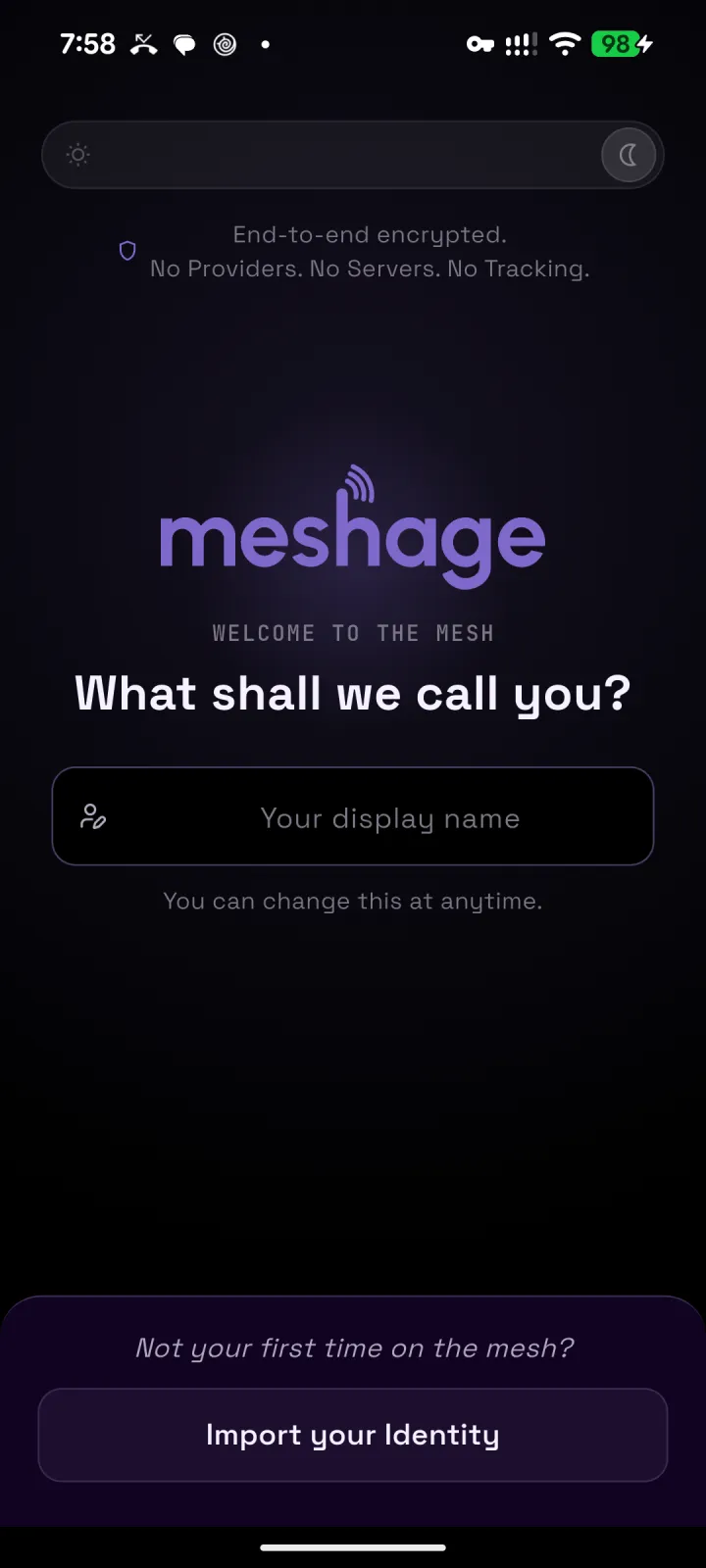
The welcome screen asking what we should call you, with a display name field and an Import your Identity button
No account. Just pick a name and you're on the mesh.
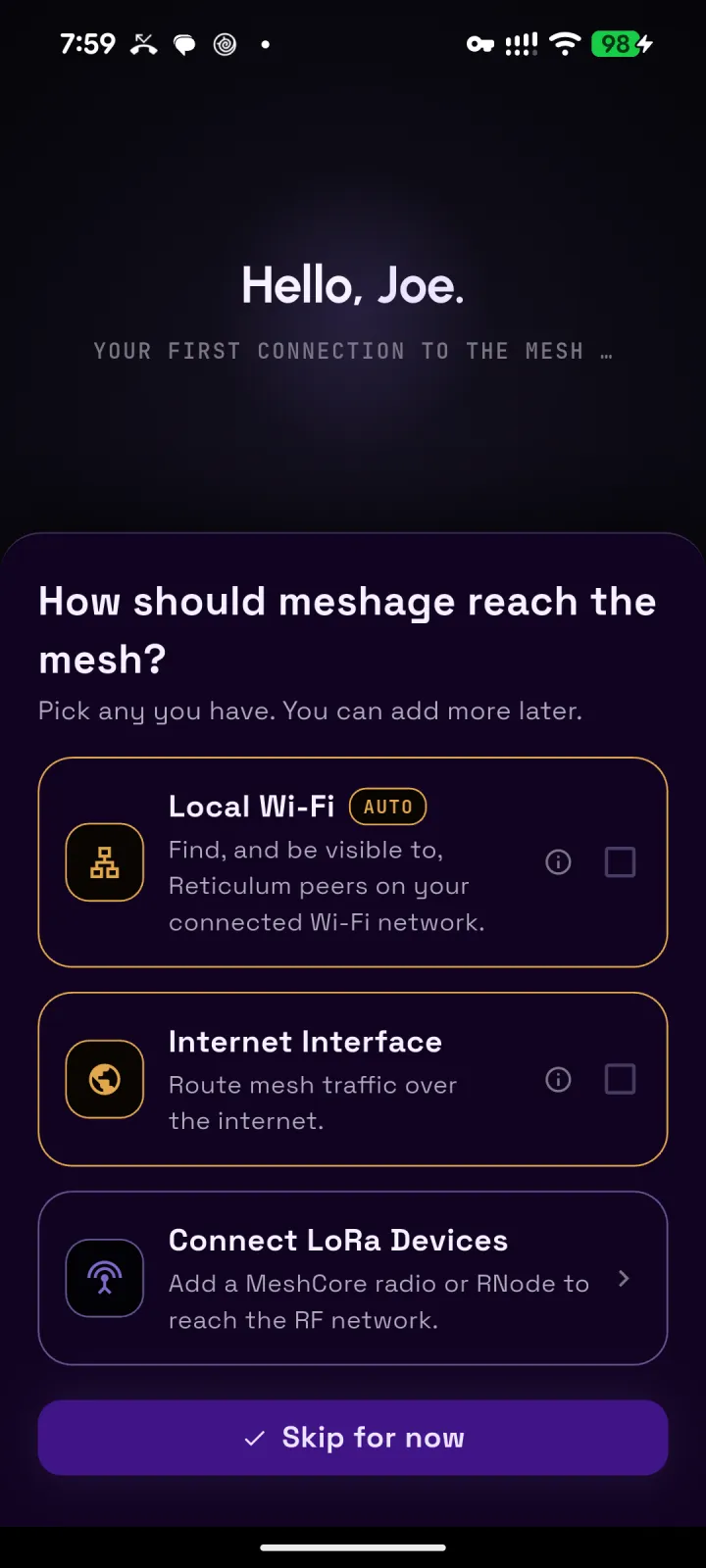
Onboarding step asking how meshage should reach the mesh, with Local Wi‑Fi, Internet Interface and Connect LoRa Devices options
Reach the mesh over Local Wi‑Fi, the internet, or LoRa radios.
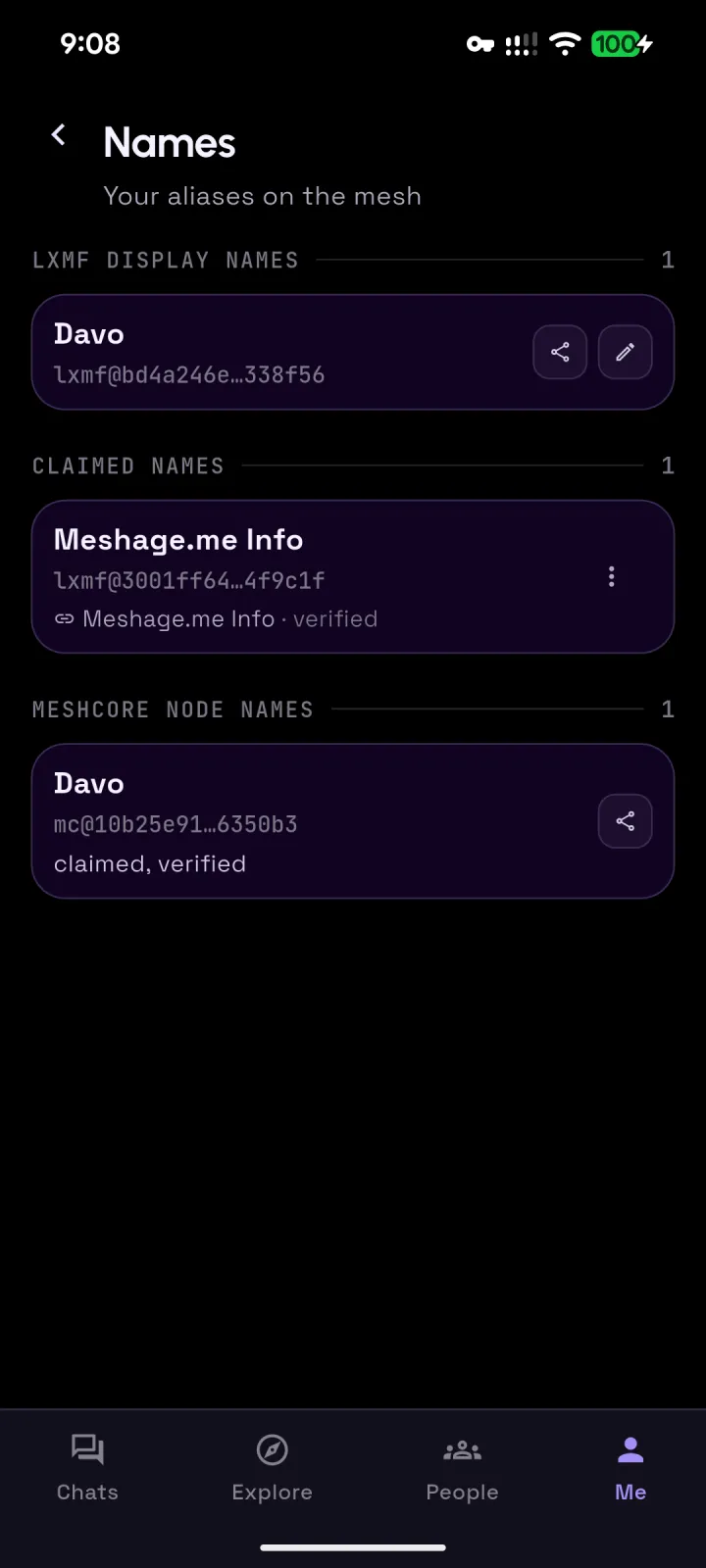
The Names screen listing an LXMF display name, a claimed name marked verified, and a MeshCore node name marked claimed and verified
Claimed names, cryptographically verified. Claim you alias ... if you wish.
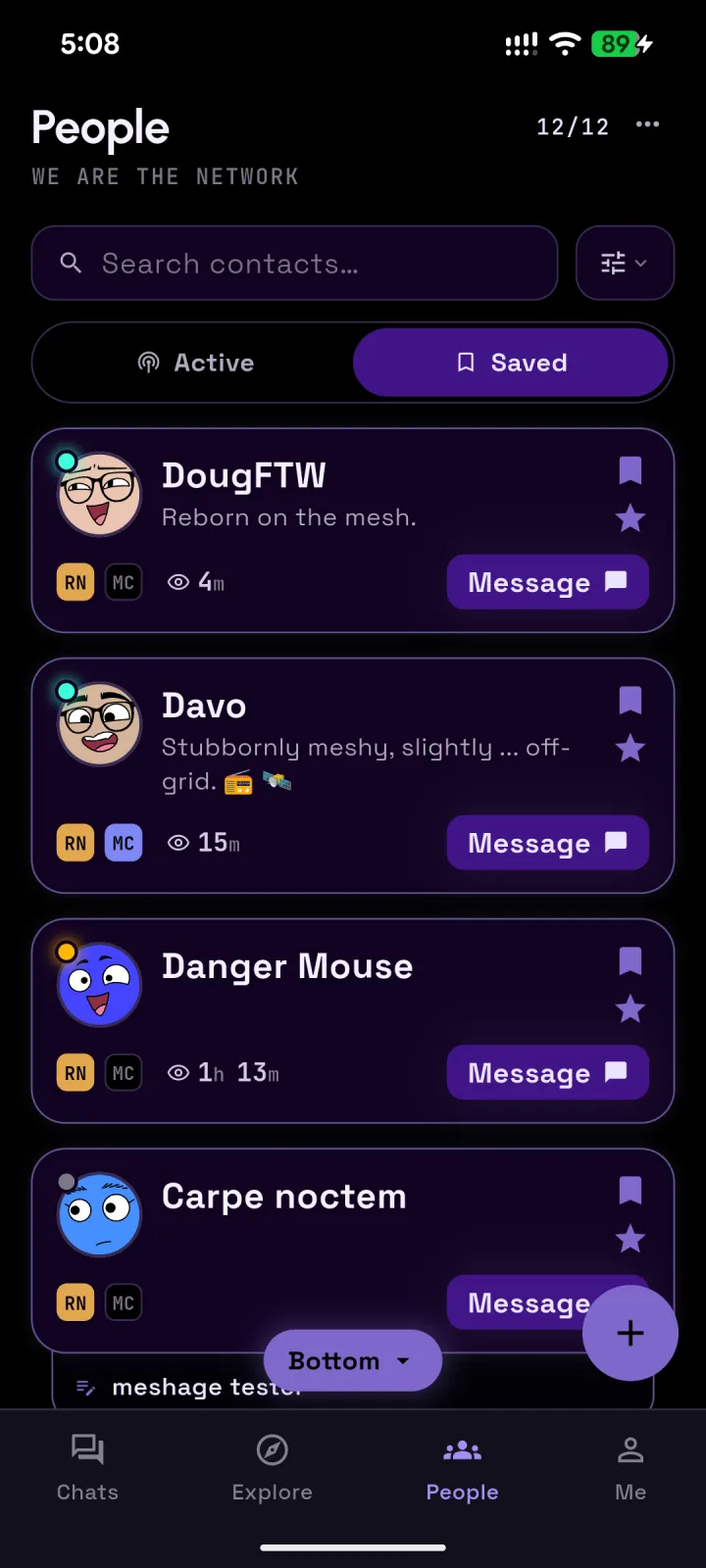
The People screen: contact cards for DougFTW, Davo, Danger Mouse and Carpe noctem, each showing Reticulum and MeshCore badges and a Message button
One contact card holds a person's Reticulum and MeshCore identities.
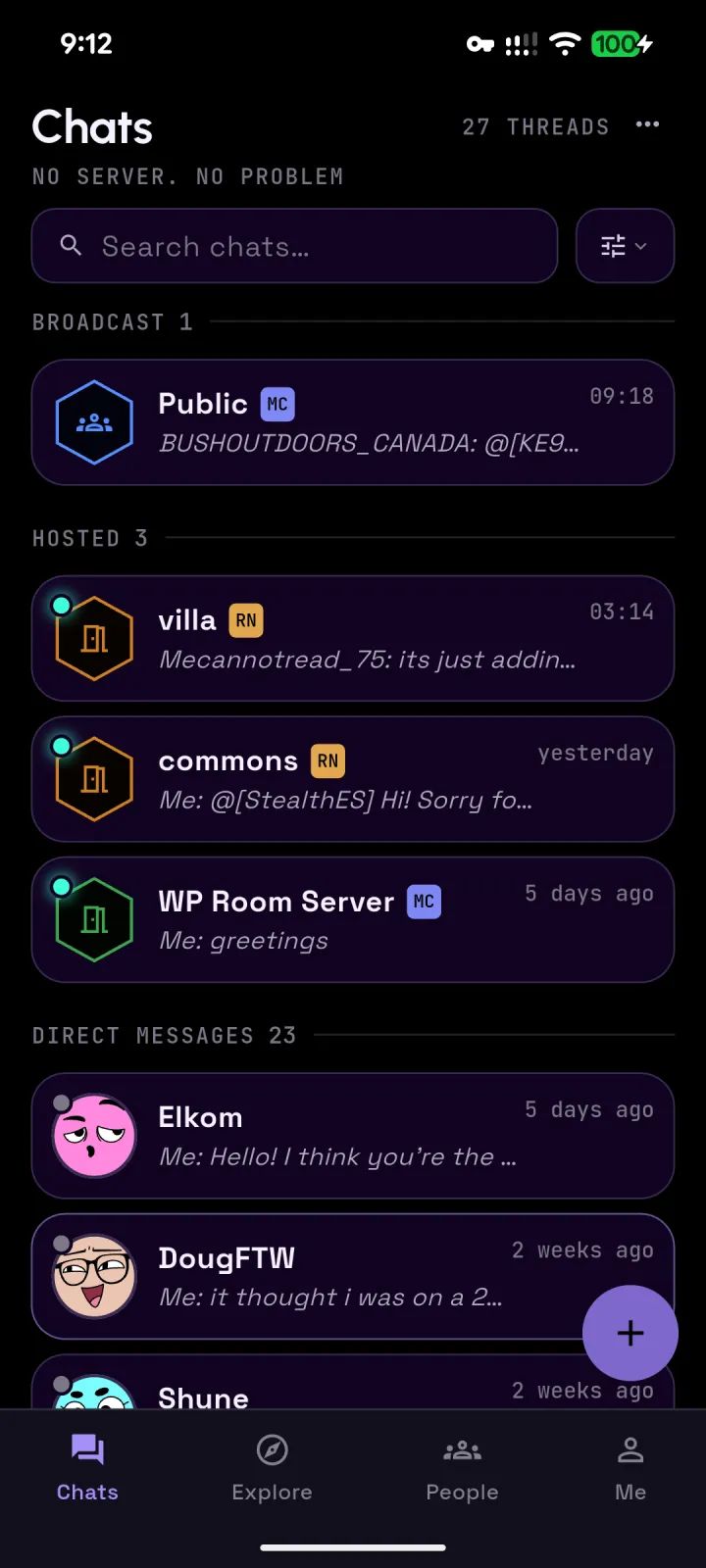
The Chats screen with a Broadcast section, Hosted rooms on Reticulum and MeshCore, and direct messages
Chats: Broadcast channels, RRC hubs, MeshCore rooms and direct messages in one list.
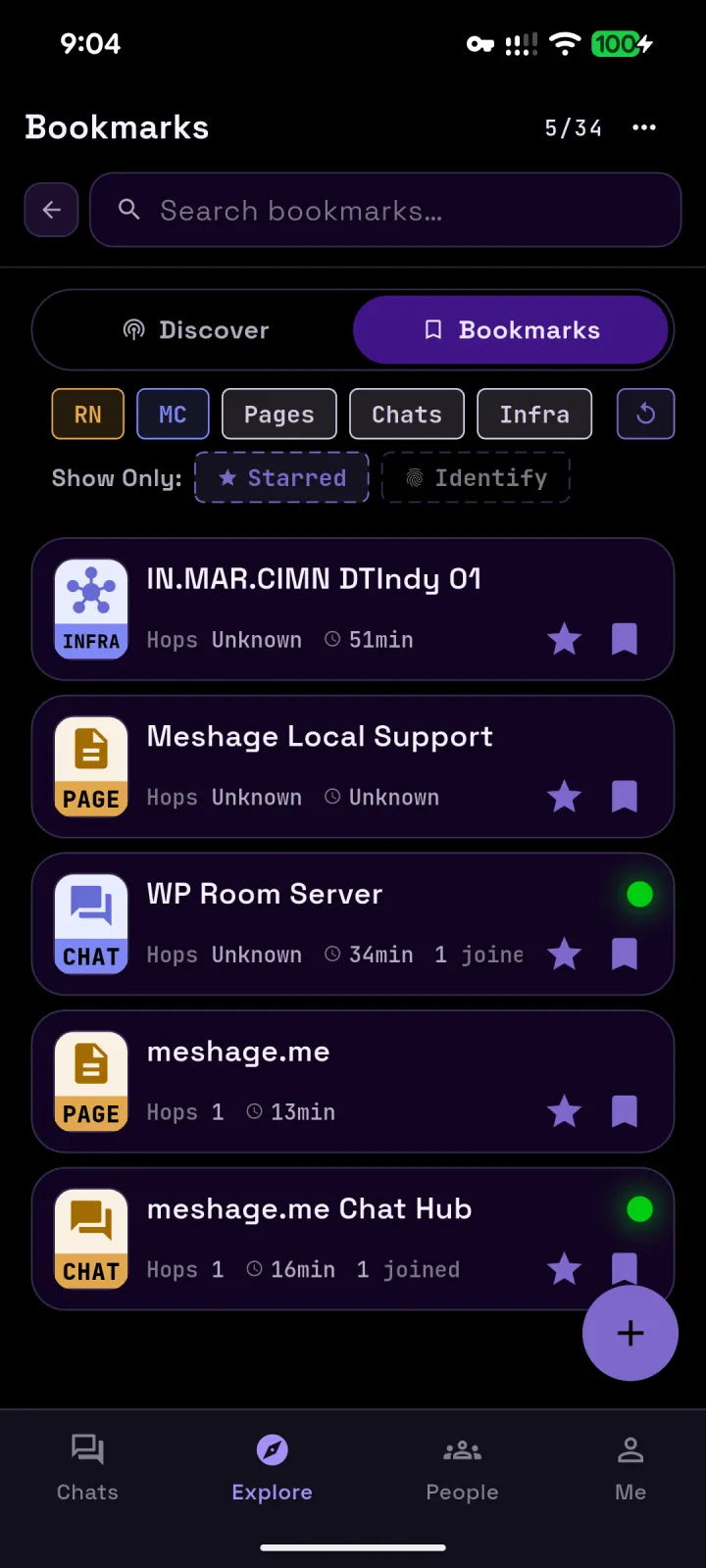
The Bookmarks screen with filters for Reticulum, MeshCore, pages, chats and infrastructure, listing a node, support pages and chat hubs
Bookmark the pages, chats and infrastructure you find.
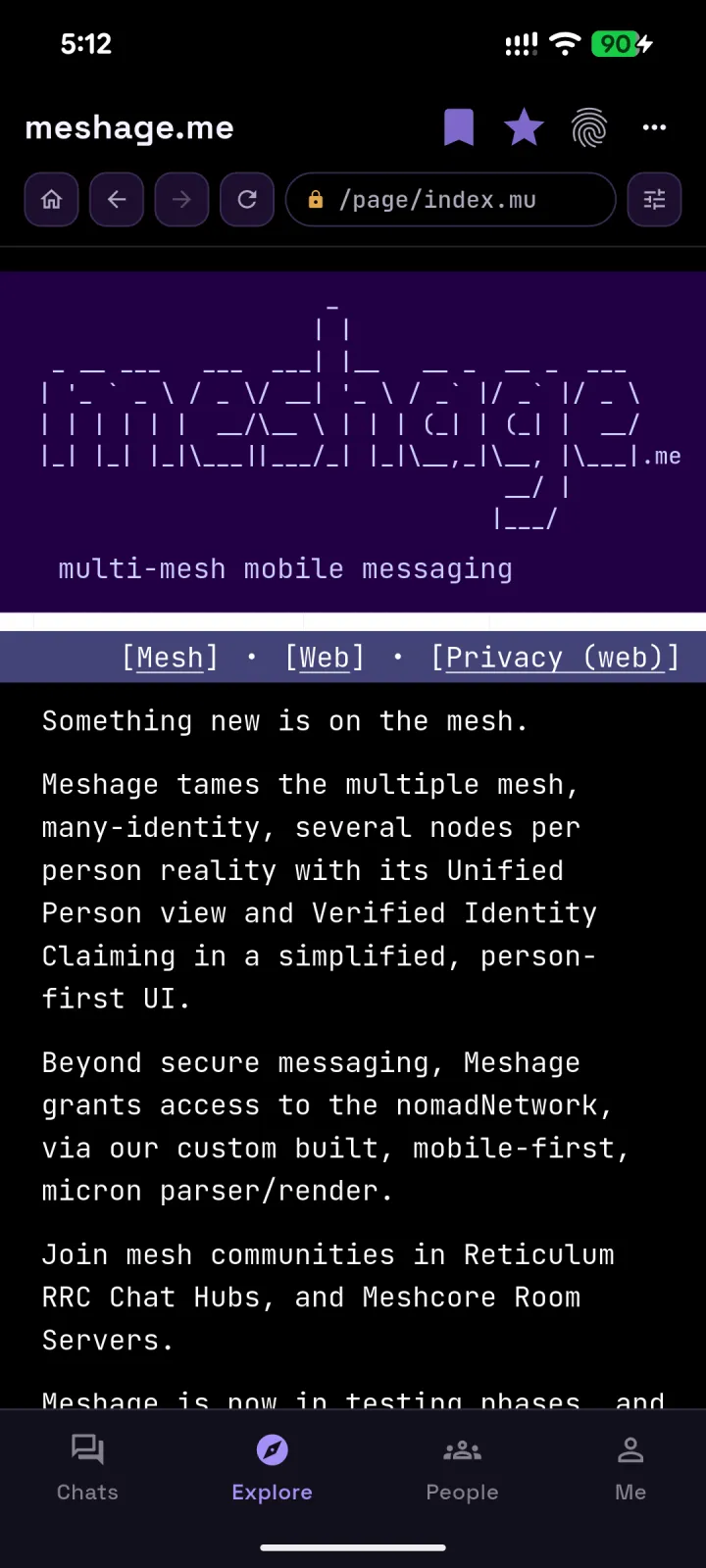
The in-app nomadNetwork browser showing the meshage.me page with its ASCII banner and navigation links
nomadNetwork pages, rendered for a phone screen.
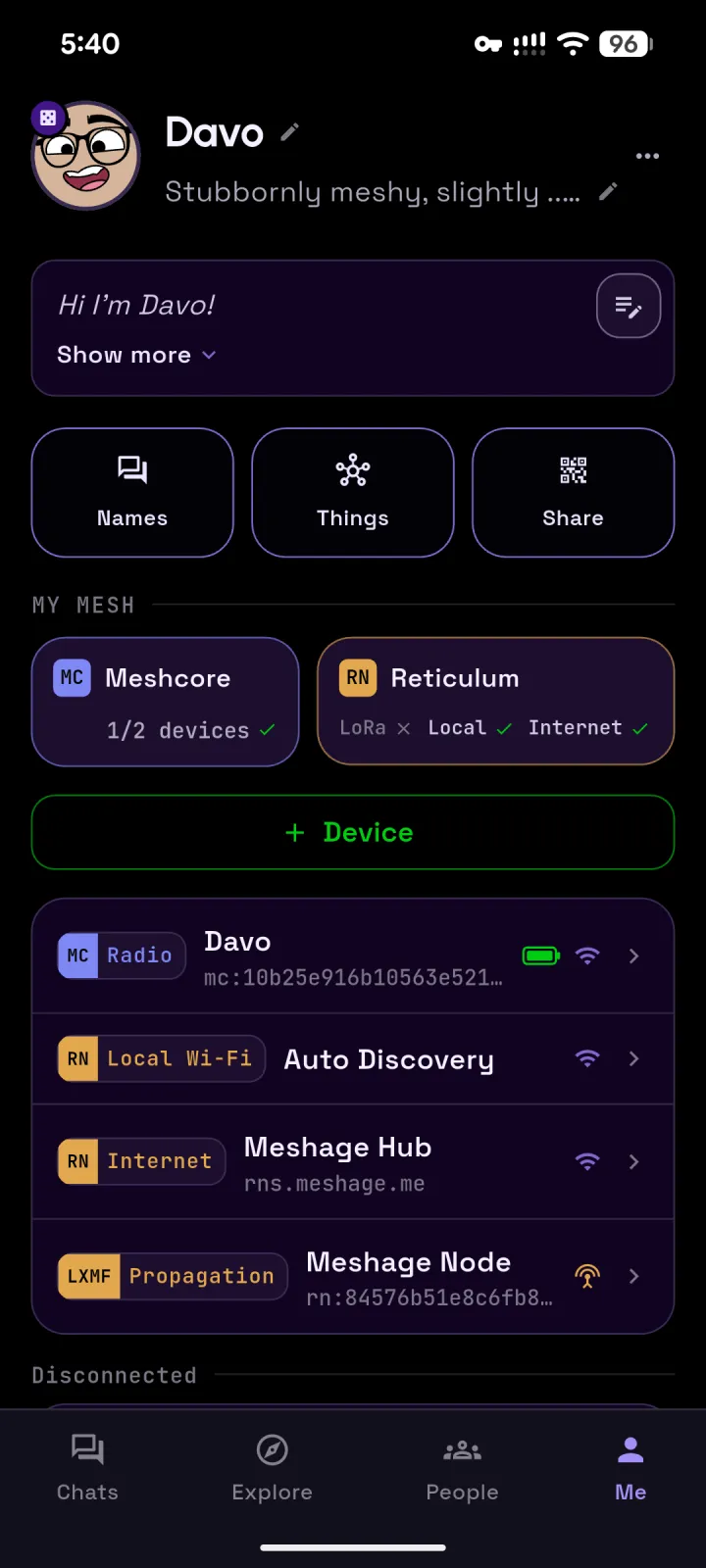
The Me screen: Davo's profile with Names, Things and Share buttons, a My Mesh panel listing MeshCore and Reticulum, and devices including a MeshCore radio, local Wi‑Fi auto discovery, the Meshage Hub and the Meshage Node
The Me screen: your identities on both networks, plus the devices, interfaces, and nodes you use.
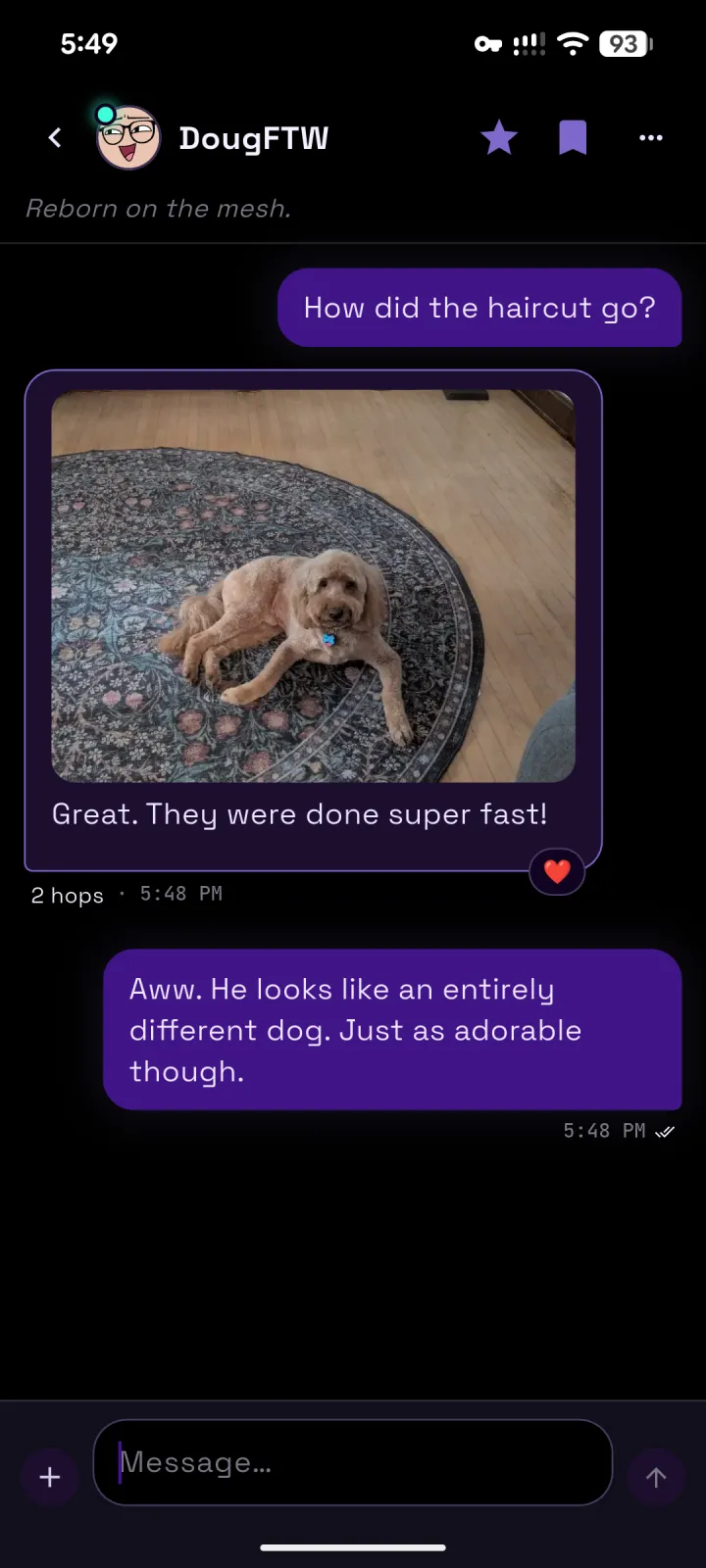
A conversation with DougFTW including a photo of a freshly groomed dog on a rug, delivered over two hops
Attachments over the mesh. Who's a good boy?
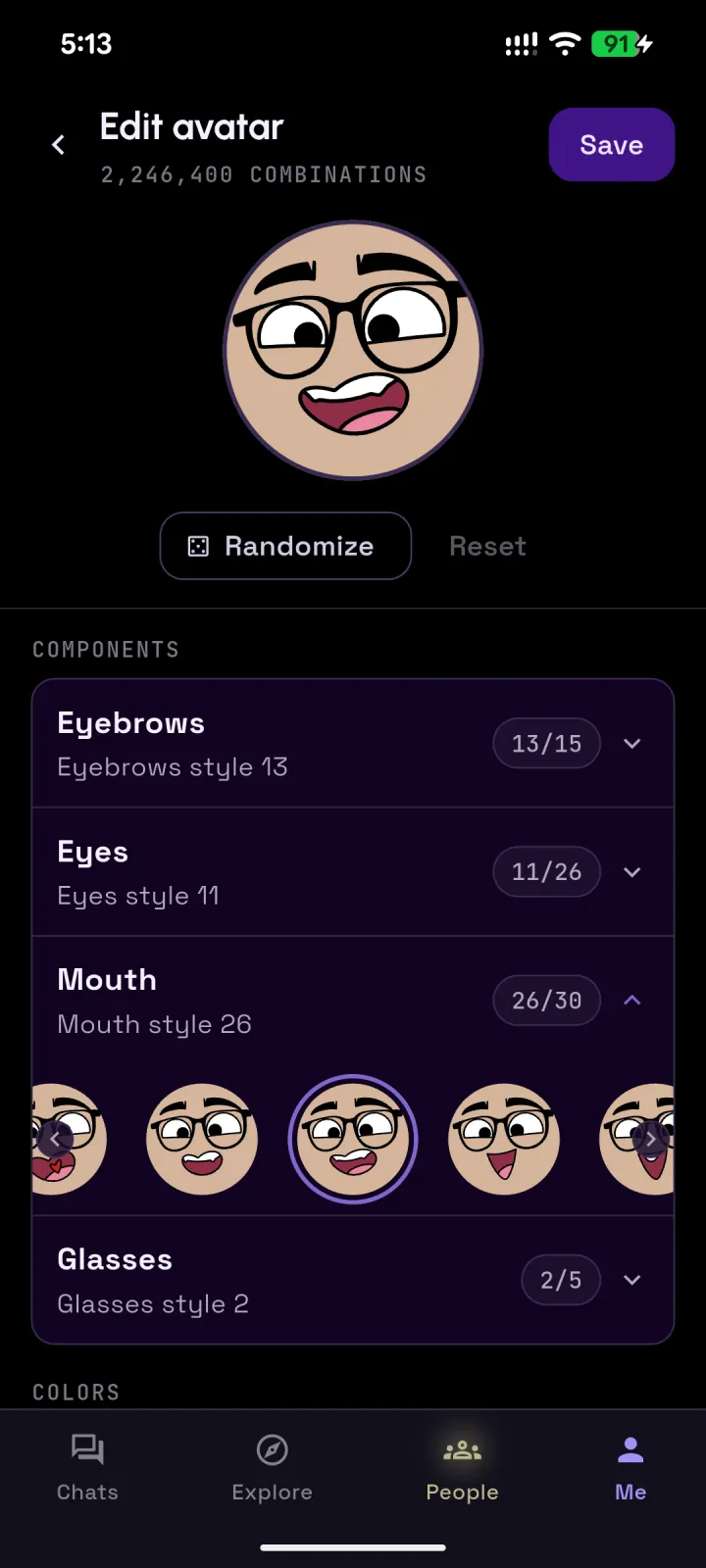
The avatar editor showing a cartoon face and pickers for eyebrows, eyes, mouth and glasses, with 2,246,400 combinations
2,246,400 avatar combinations! Express your mood.
Why meshage

One view across both mesh networks

Someone on the mesh can have a Reticulum identity, a MeshCore identity, a LoRa radio and a few other nodes. Meshage files all that behind one contact card, and checks a claimed name against the key that signed it. Your contacts, chats, bookmarks and devices from both networks sit in the same lists, so you work in one app, not two.

RNMC

Multiple mesh networks in one app

Reticulum and MeshCore at the same time, over Wi‑Fi, the internet, or LoRa radios such as an RNode or a MeshCore device. Both networks share one contact list, one chat list and one set of bookmarks. Add radios and interfaces as you need them; manage them in your 'Me : My Mesh' view.

Unified person view

One card per person, however many identities, radios and nodes they carry. Message the person, not the address.

Verifiable identity claims

Meshage checks a claimed name against the key that signed it, so a familiar name is the same person every time.

nomadNetwork browser

Meshage has its own micron parser and renderer, built for a phone screen rather than a terminal.

Communities

Join Reticulum RRC Chat Hubs and MeshCore Room Servers from the same chat list.

Private

End-to-end encrypted. No account, no analytics, and no access logs on our servers. Read the privacy policy.
Get meshage

Download

Android today, iOS on the way. Install from Google Play or Obtainium, or sideload the APK over the web or straight over the mesh. The app checks for updates on both.

Latest release

  1. App stores

    Installs and updates handled for you.
    Get it on Google Play Get it on Obtainium iOS App Store · coming soon

    Obtainium installs the ARM64 web build straight from meshage.me and checks here for new releases. Google Play and the Google Play logo are trademarks of Google LLC.

  2. Web direct download

    Download the APK over HTTPS and sideload it.

    Android asks you to allow installs from your browser the first time. Not sure which build? Start with ARM64. Settings ▸ Updates in the app checks for new releases over the mesh and the web.

  3. Mesh direct download

    Fetch the APK over Reticulum from the meshage.me page node. No internet needed.

    Paste the path into Meshage's Explore tab, NomadNet or Sideband. Served by the meshage.me page node, c065d5a1…54ff.